> For the complete documentation index, see [llms.txt](https://help.shamods.com/llms.txt). Markdown versions of documentation pages are available by appending `.md` to page URLs; this page is available as [Markdown](https://help.shamods.com/our-products/rainbow-six-siege/blackout.md). Agents can also search and read this documentation through its [MCP server](https://help.shamods.com/~gitbook/mcp).
# Blackout
Status: Undetected / Working
### How to properly launch Blackout cheats
Step-by-step guide for activating your key, downloading, and launching the software:
1. After payment, you will receive a key to activate your software subscription and all necessary download links.
2. First, you need to prepare your computer for the correct launch of Blackout cheats:
* You need to enable the virtualization feature in your BIOS settings.
* When turning on your computer, press the key to enter BIOS (F2, DEL, F10);
* Find the Virtualization option. For Intel processors this is VT-x, for AMD — SVM. Detailed instructions for enabling this feature can be found online based on your motherboard model or brand;
* In the BIOS settings, you must also disable Secure Boot if it is enabled.
* After Windows finishes loading to the Desktop, disable BitLocker drive encryption. This is especially important if you have Windows 11 installed, because it is often enabled there by default.
3. Now you need to prepare for downloading the loader:
* Completely disable Windows Defender (Real-time protection). If you have other antivirus programs installed on your PC, it is recommended to remove them, as they may interfere with the correct launch of the software;
* We strongly recommend disabling Windows Defender using Defender Control; you can download it [via this link](https://www.sordum.org/files/downloads.php?st-defender-control). Archive password: **sordum**.
* Completely uninstall the following software via Control Panel (Add or Remove Programs): Faceit AC, ACE (AntiCheatExpert).\
These anti-cheats may interfere with launching the software.
4. Now that everything is ready, download the loader from the page whose link you received together with the activation code and the link to this guide.
5. Before launching the loader, make sure all games are closed. It is strictly not recommended to launch the loader while any games are open!
6. Run the loader you downloaded earlier as administrator.
7. Activate the previously purchased Blackout code.
8. After a few seconds, the loader interface will appear in front of you with a list of games available to you.
9. Select the cheat you need and click "**Load**".
10. Wait until the loader completes the necessary actions, after which your PC will reboot.
11. After restarting your computer, launch the game. You DO NOT need to launch the loader again!
12. While the game is loading to the main menu, you should see the cheat interface loading together with the game
13. After the game has fully loaded to the main menu, the cheat menu will open automatically.
14. Congratulations, you have successfully launched the BlackOut cheat!
**The following buttons are used to open the Blackout cheat menu:**
* **Apex Legends** and **WARDOGS**: the **Insert** key;
* **Valorant** and **Rainbow Six Siege**: the **Delete** key.
### Known errors and how to fix them
Some known issues and ways to fix them:
* The most common issue is Windows Defender / Antivirus being enabled. Completely disable Windows Defender (as described earlier) and remove any other antivirus software.
* Update the Visual C++ libraries; you can download them [via this link](https://aka.ms/vs/17/release/vc_redist.x64.exe).
* You should also update DirectX; you can download it [via this link](https://www.microsoft.com/ru-ru/download/details.aspx?id=35).
* Installed anti-cheats such as FaceIt and ACE (AntiCheatExpert) can also interfere with the software. Remove them using "Add or Remove Programs".
* To launch the cheat, you also need to disable Reputation-based protection.
1. Open the START menu and type "Reputation-based protection" in the search. Open this window.
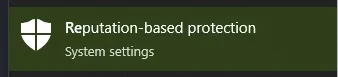 2. In the opened window, disable all options.
* If your computer has the wrong time set, you need to sync the time in Windows. Open the "Settings" app using the Windows + I shortcut or through the Start menu. Go to the "Time & Language" category. Then in the "Synchronize your clock" section, click "**Sync now**".
* Sometimes the software may fail to launch due to server connection issues; in that case, try launching the loader with a VPN enabled.
* For Blackout Valorant: make sure TPM 2.0 is enabled in your BIOS settings (fTPM for AMD, PTT for Intel); without this, you will not be able to launch the game.
* For Blackout cheats to work correctly, BitLocker (disk encryption) must be completely disabled. Click Start -> type “cmd” -> Run as Administrator. Copy and paste the following commands into the console:
* Check the encryption status: “`manage-bde -status`”
* Disable encryption: “`manage-bde -off C:`”
* Wait for the disk decryption to complete, then restart the PC.
Download:
{% embed url="" %}